Software Update - 28th May 2023
On Sunday 28th May we released a software update that was packed with features and enhancments that have been requested by our community of customers. If you have any features that you would like considered for a future release, please contact one of our team directly or send an email to info@amlhq.com.
A summary of the enhancements included in this release is as follows:
- It is now possible to run PEP / Sanctions screening for individuals independent of conducting advanced identity verification.
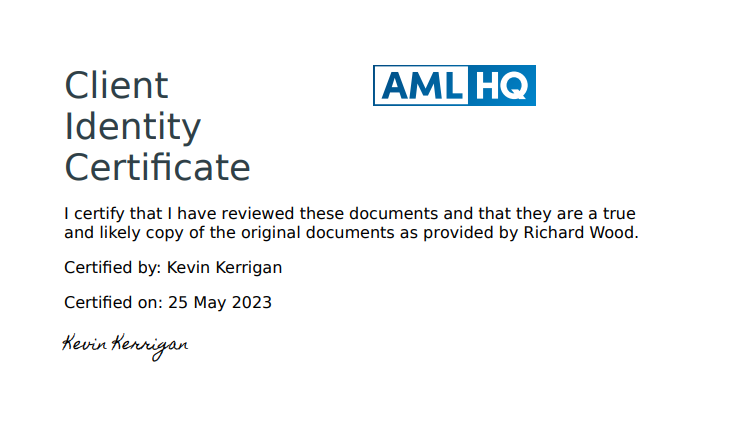
- When approving a completed Identity Verification Session you can now capture the Expiry Date and ID Document Type. It is also now possible to export an Identity Verification Certificate that documents who, what and when documents were provided and certified.
- You can now upload an official extract from the Register of Beneficial Ownership (RBO) to the Clients AML file. AML HQ will automatically add the Beneficial Owners and their information as associated parties. The official RBO extract is also added to the file.
- Additional fields have been added to the Client AML file. You can now track onboard date, next review date, sector, assigned manager and assigned partner. A new status field has been added for clients with possible values of Not Started, In Progress, Complete or Inactive.
- We have enhanced our reports and now provide
- Client Summary Report
- Client Detailed Report
- Associated Parties Report
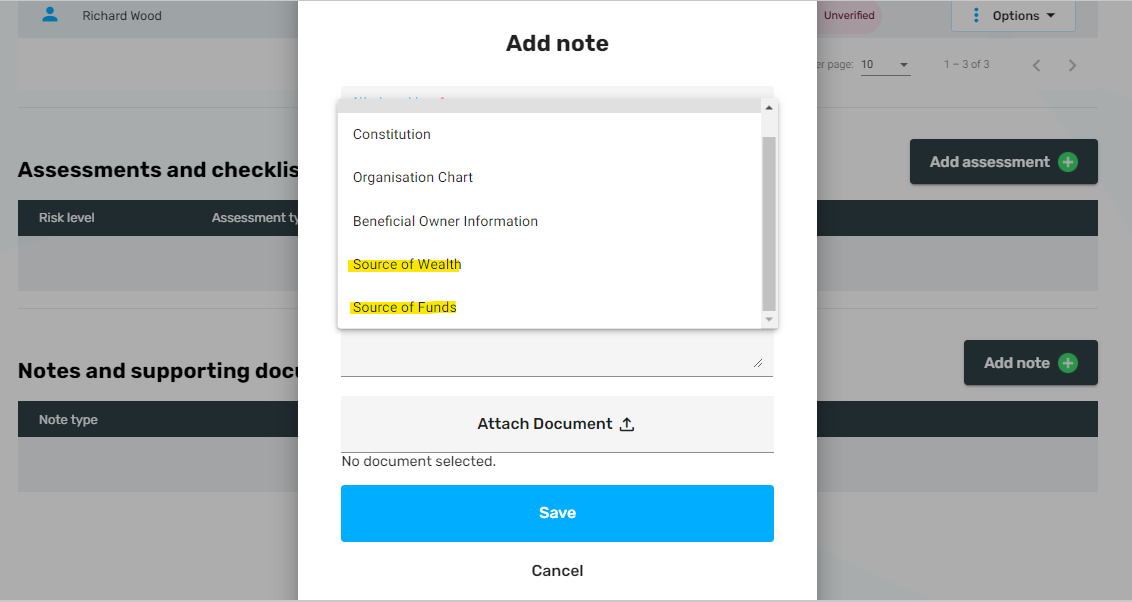
- Source of Wealth and Source of Funds note types have been added to the notes section of the Client file.
- Navigation enhancements have been made on the Client Details and Associated Party Details screens
- Adding a Client from the UK will now automatically populate the Directors and Beneficial Owners (persons of significant control)
- It is now possible to search the User Reference field from the Client Dashboard.
Keep reading for further information (where required) on the above enhancements.
PEP / Sanctions
We have added the ability to undertake PEP and Sanctions screening for any associated party within a client file. You can screen any individual either at inital onboard via the Add Client Wizard or subsequently via the Client Details or Associated Party pages.
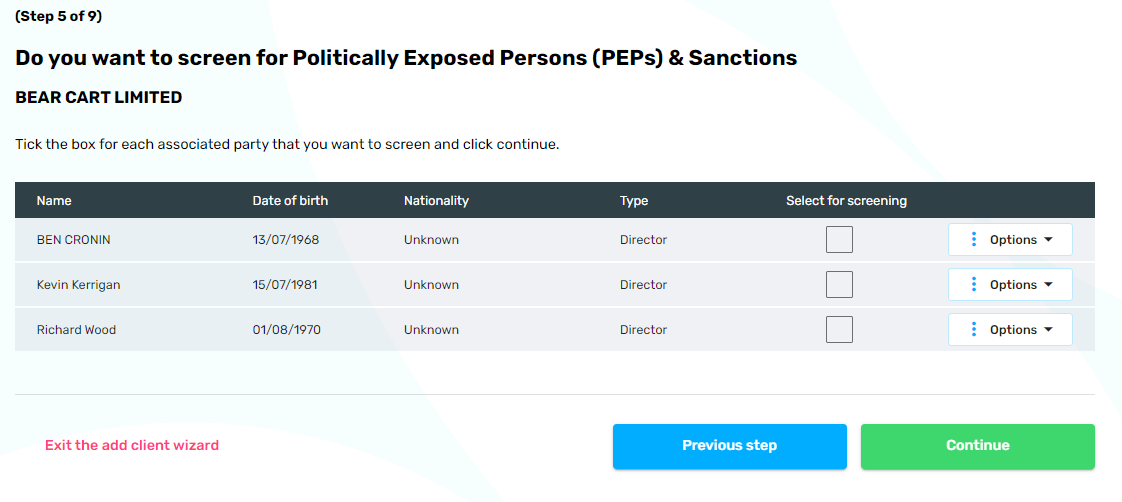
The PEP and Sanctions screening results are presented onscreen for review and are automatically recorded against your Client's AML file.
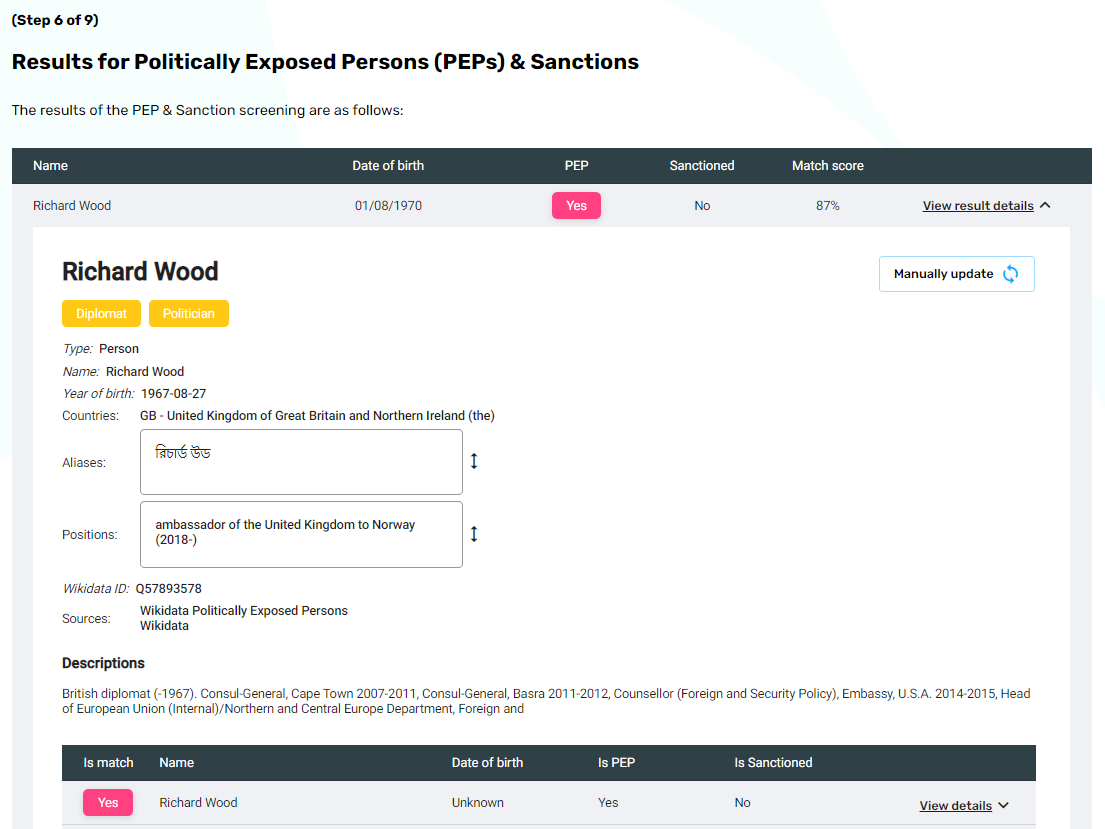
This is an additional opt-in service and can be paid for using our Credits system with each PEP / Sanctions screen costing €0.50.
Identity Verification - Expiry Date and Document Type
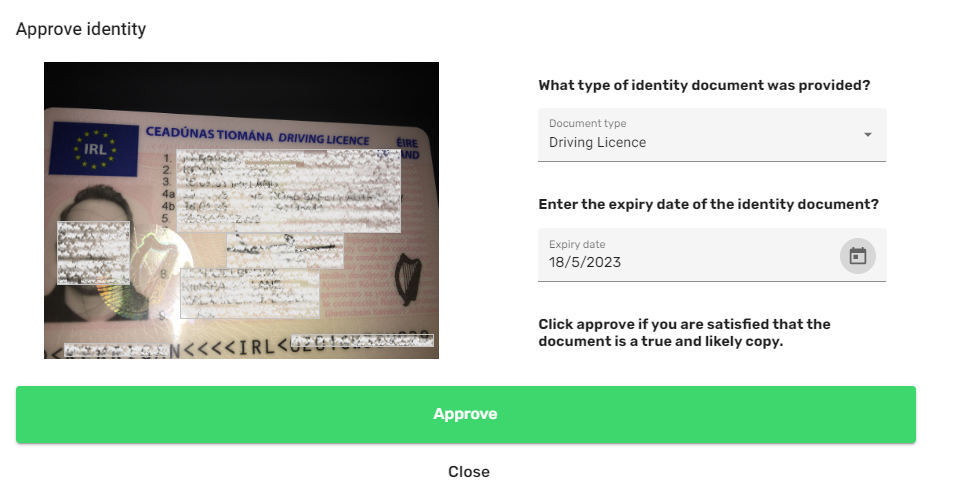
When a Client completes an Identity Verification request (standard or advanced) you are thhen invited to review and approve the documents that they have provided. We have now provided a simple screen to allow you to approve the identity documents and Proof of Address (PoA) documents and to capture both the Expiry Date and Type of ID Document provided. Once you capture this information it is made available for compliance reporting.
Identity Verification Certificate
It is now possible to export an Identity Verification Certificate that presents all of the Clients identity information in a single signed PDF. All captured images of documents are included in the certificate along with a declaration from the staff member that approved the documents.
Import Beneficial Owners (RBO Extract)
You can now upload an official extract from the Register of Beneficial Ownership (RBO) to the Clients AML file. AML HQ will automatically add the Beneficial Owners and their information as associated parties. The RBO extract is also added to the file.
You can upload the official file via the Add Client Wizard during initial onboard, or subsequently via the "File" menu on the Client details page.
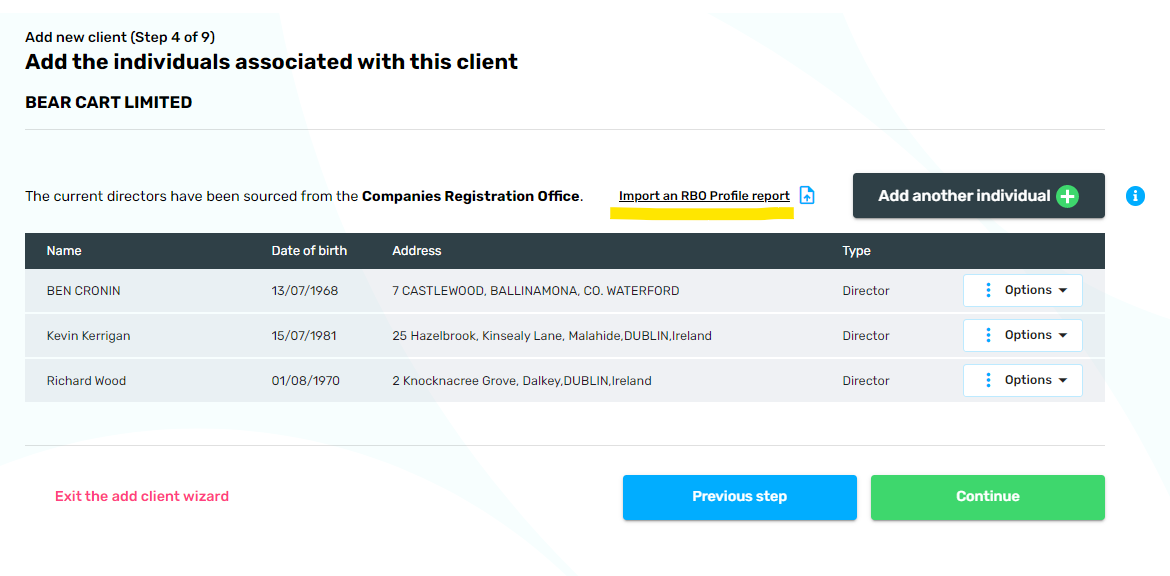
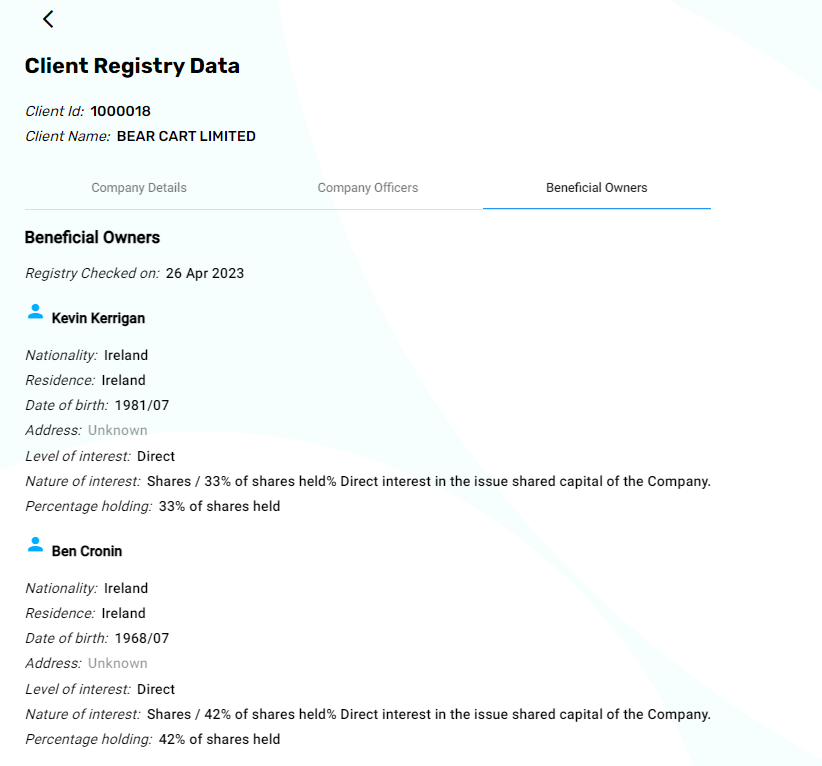
When you import an official RBO document, all details are automatically added to the Client's file and the individual's records. The official extract is also added to the file and the audit trail shows that the RBO was referenced on the specific date.
Additional Client Fields
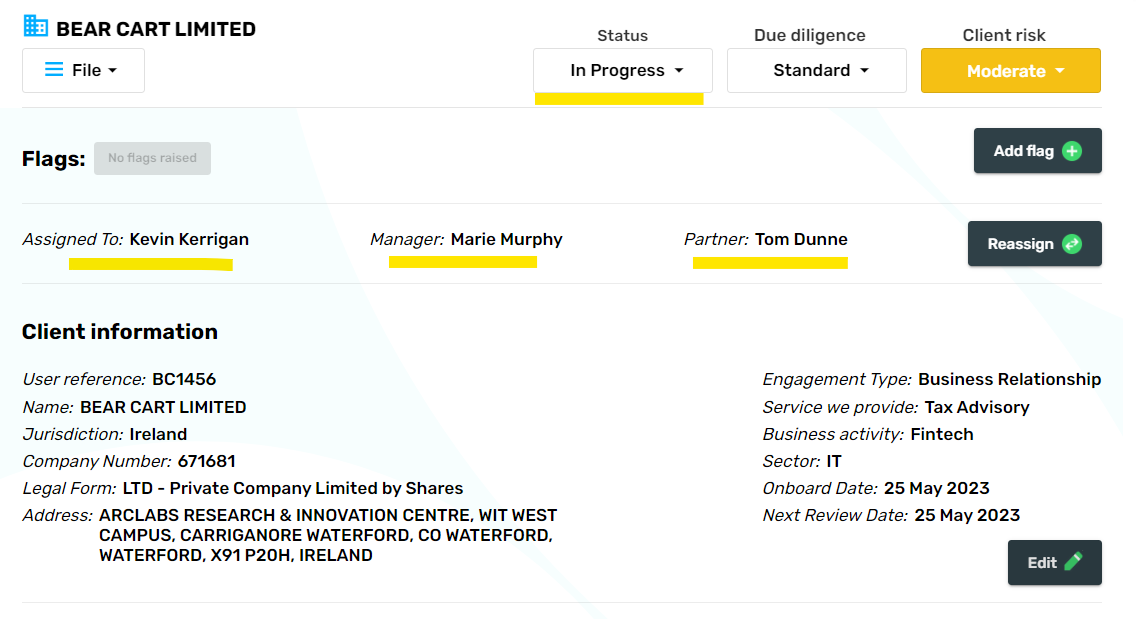
We have added a number of new (optional) fields to the Client file which can be added via the Client wizard or edited direclty in the Client file. The new fields are to support compliance reporting and the ongoing upkeep of client files. The following newly added fields are highlighted below: Client Onboard date, Next review date, Client Status and Sector.
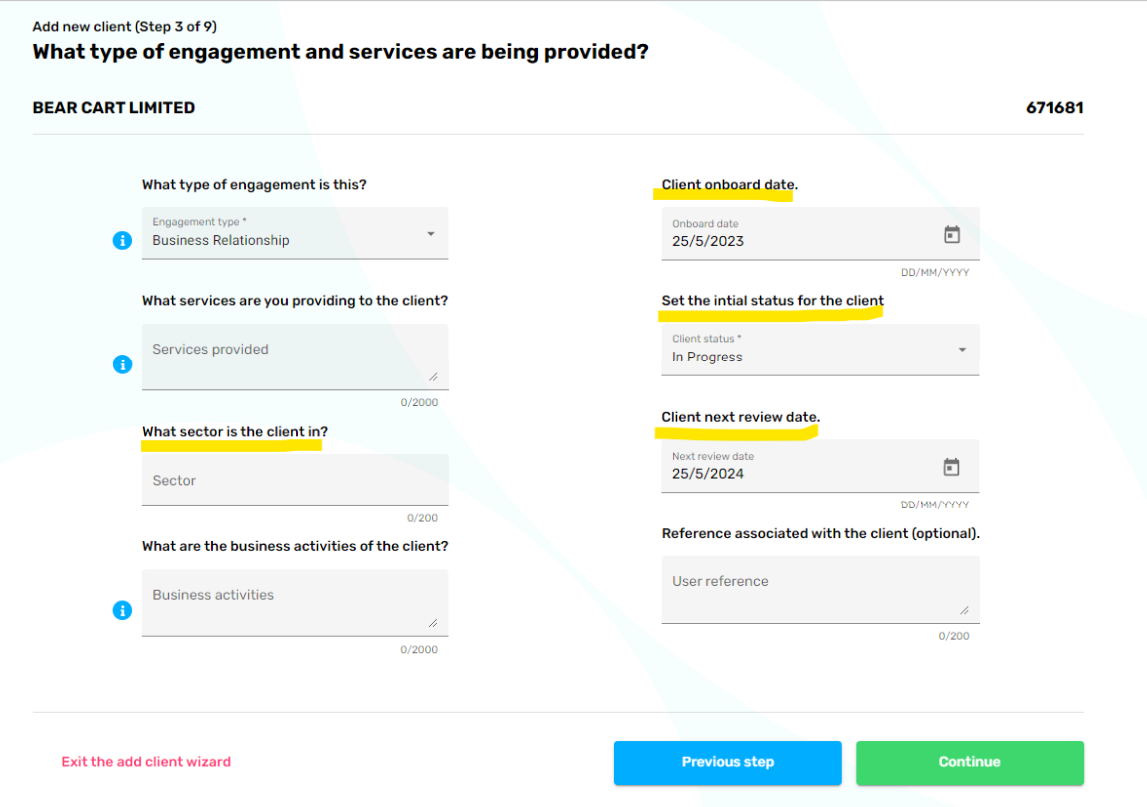
A new status field has been added for Clients which allows you to self-declare their status with possible values of Not Started, In Progress, Complete or Inactive. Along with Client Flags attributes, this allows for basic workflow management to be implemented.
It is now possible to assign Clients to a Staff Member, a Manager and a Partner.
Enhanced Reports
We have added three new interactive reports under the reports section.
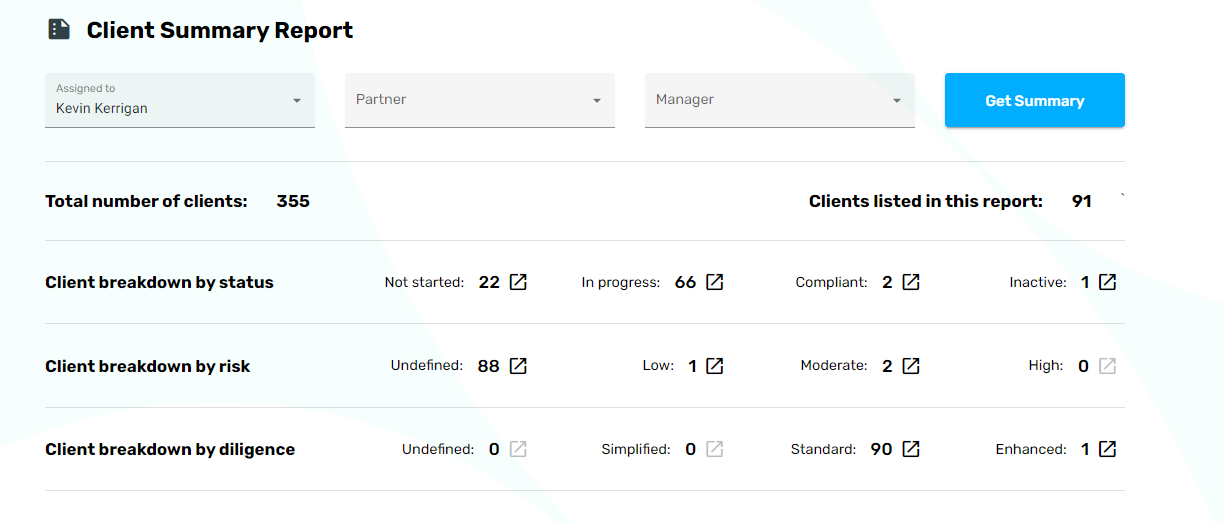
The new Client Summary Report allows you to filter based on the Assigned Staff Member, Partner or Manager and provides you with an quick overview of your client portfolio grouping by Status, Risk and Due Diligence level.
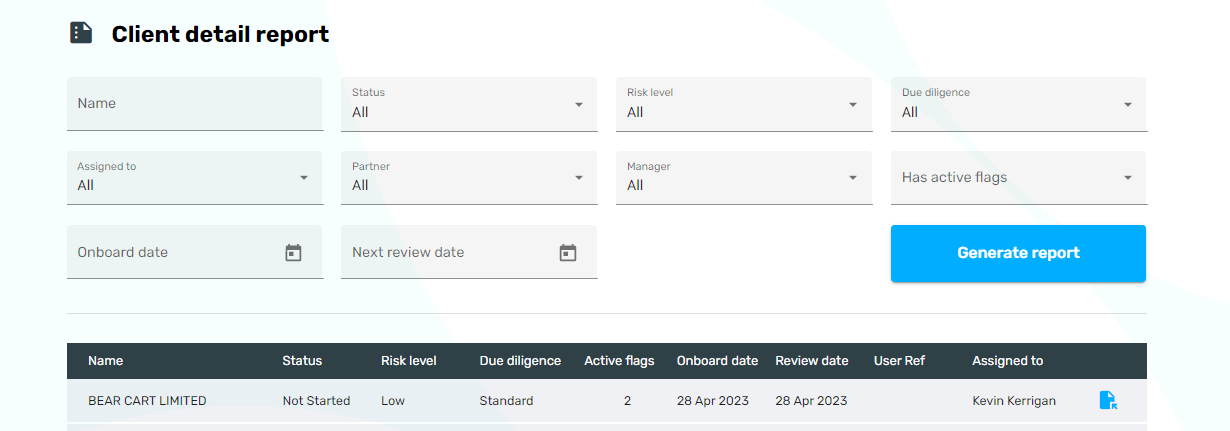
The Client Detail Report allows you to analyse client's in detail with multiple filters. You can also export the search results out to Excel (via a .csv file) for further analysis. There are more fields made available in the .csv export than can be listed in the interactive table.
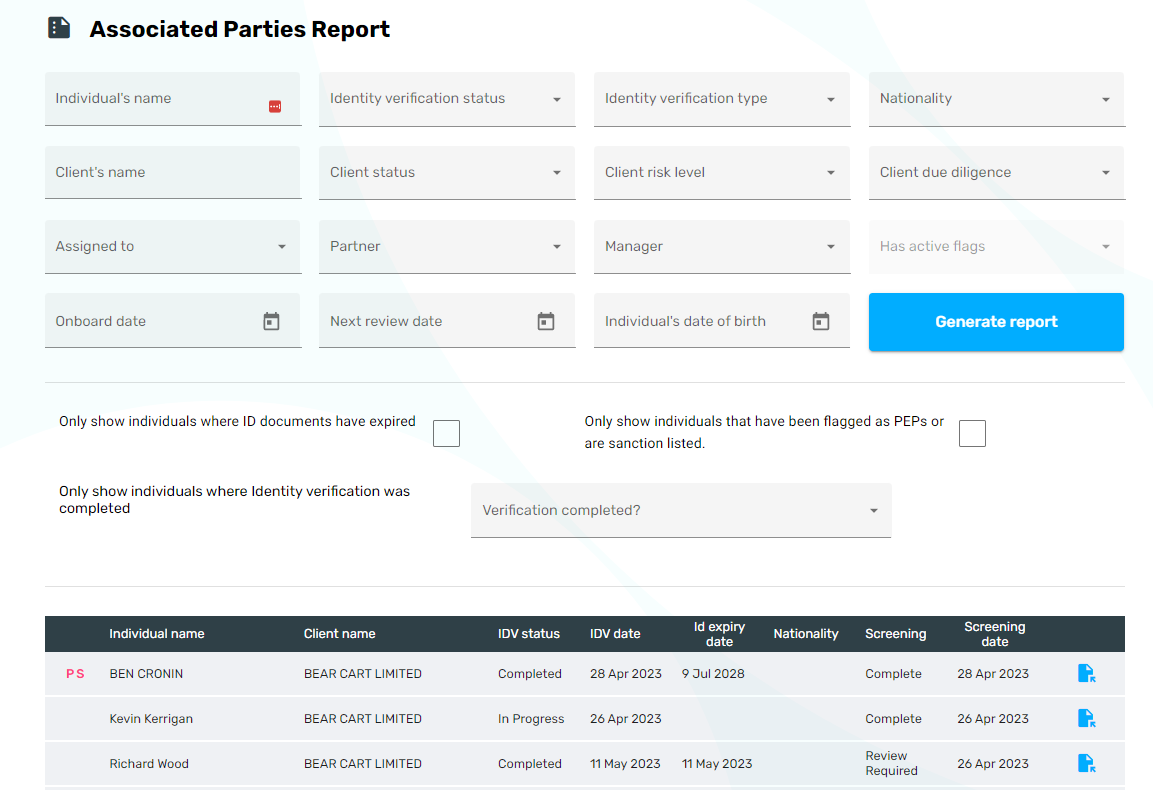
The Associated Party Report allows you to analyse the individuals behind your clients and report on their status in detail. This allows you to identify how many individuals are covered (or not) from a compliance perspective. You can focus on specific clients risk levels or specific nationalities. Again, you can also export the search results out to Excel (via a .csv file) for further analysis. There are more fields made available in the .csv export than can be listed in the interactive table.
Source of Wealth and Source of Funds notes
Within the Notes section, we have added Source of Wealth and Source of Funds note types so that users can add relevant information (including attached documents) to the Client's AML file.
Navigation enhancements
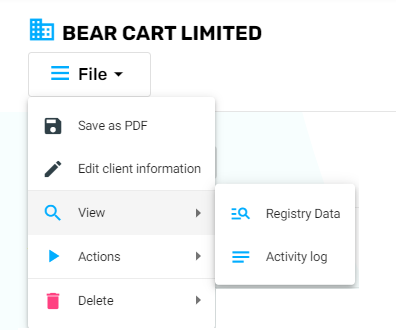
We have made a number of changes on the Client details and Associated Party details pages to make it easier to access information and complete actions. For example, at the top of the Client Details page we have added a familiar and handy "File" menu to allow you to access additional information and initiate all actions on a Client file.
The Associated Party table within the Client details page has been updated to present PEP and Sanctions screening status an to also provide for easier navigations with the "Options" menu tab.
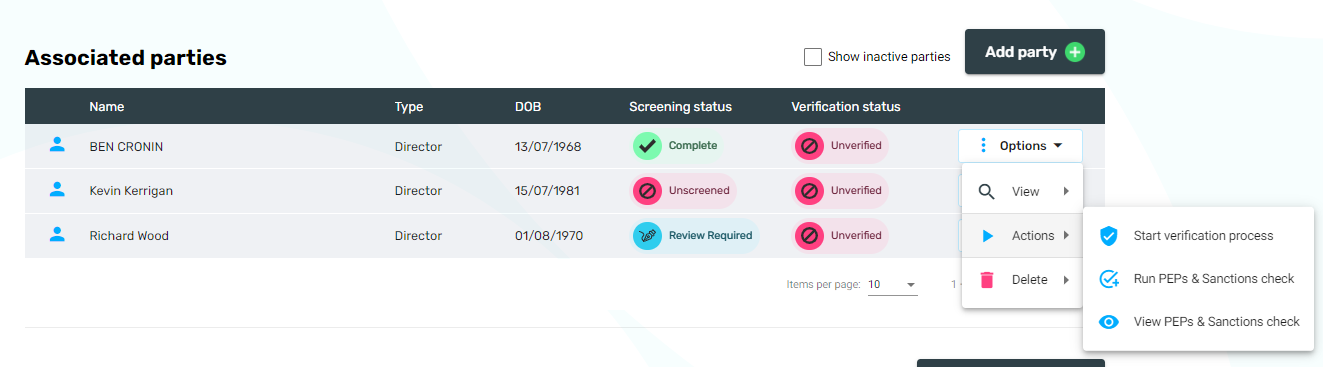
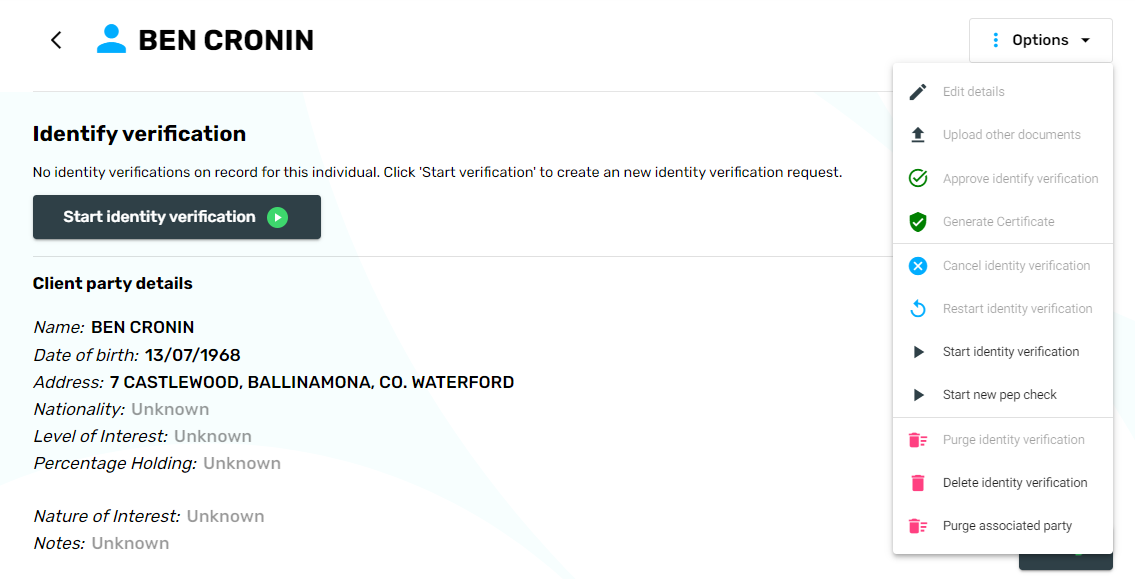
On the Associated Party details page you will also find the "Options" menu which provides access to actions such as starting a new Identity Verification session or conducting screening for the individual. Access to Generate a Certificate for an individual where we have approved their identity, is also available via this menu.