
Software Update - 12th April 2026
On Sunday 12th April, we updated AML HQ with a number of small but important enhancements. If you would like to request any new features, please contact one of our team directly or send an email to support@amlhq.com.
A summary of the key enhancements included in this release are as follows:
- Role Based Access Controls: Administrators can now assign roles to users to restrict access based on responsibilities.
- Ability to Copy All Client Party Details in a single action: If you have an associated party (director or Beneficial owner etc.) that is across multiple client files, you can now copy all of their details and all of the ID Verifications and PEP/Sanctions and Person Verifications to another associated party in a single action.
- Ability to create a copy of an existing Risk Assessment (Client or Firm-Wide Business Risk Assessment).
- [BETA Release] New Client Risk Assessment Report that provides both an aggregated summary and detailed information on the Client Risk Assessments across your client portfolio. This supports your Firm-wide Business Risk Assessment and Annual Return to your professional bodies. It also is very useful to provide quality reviews across your team.
- Miscellaneous Updates: We have also made a number of minor UI changes based on client feedback and resolved a few bugs/issues that were identified.
Keep reading for more information on these changes or get in touch if you would like support or a demo of these new features (support@amlhq.com).
Role Based Access Controls
This release introduces a new role-based access control framework , giving firms greater control over user permissions and strengthening governance across the platform.
Administrators can now assign the following roles to users to restrict access based on responsibilities:
Manage Clients
Access to clients, IDV sessions, PEP & sanctions checks, person validation, tasks, reports, and data requests.
Manage Policies
Permission to manage compliance documentation, including Firm-Wide Risk Assessments (FWRA) and related collateral.
Manage Training
Ability to manage training courses and oversee other users’ training logs.
Read Only
View-only access across the system, with the exception of updating their own user profile.
Delete Allowed
Elevated permission enabling deletion of records across the system.
Account Owner
Full account and user management capabilities. Note: This role cannot be combined with Read Only.
Default Access Rules
No role is required to view the AML Policies section or Training Courses.
All users can also manage their own training logs without a role (unless assigned Read Only).
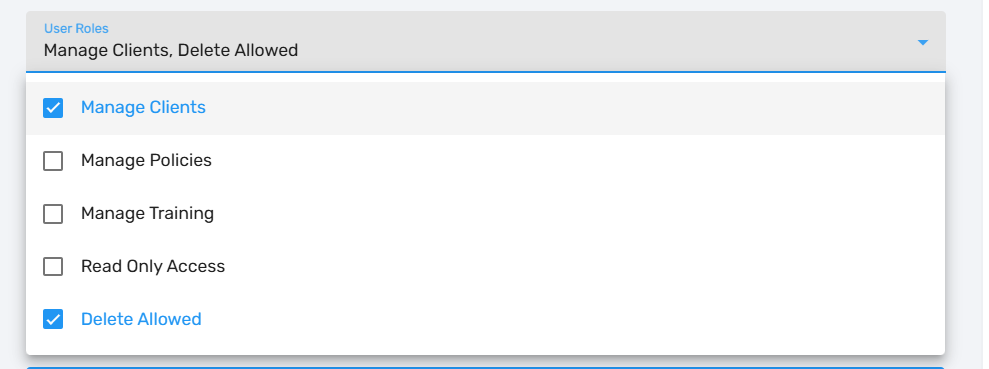
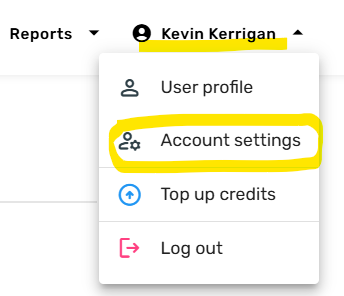
This functionality is available to Administrators within the Users menu under Accounts Settings menu (available when you click on your name in the top right-hand corner in AML HQ).
For security, users will be required to log in again if any of the following are changed (Roles, Password, Active/Inactive status
If an admin resets another user’s password, that user will be prompted to log in again on their next action.
Copy All Client Party Details In A Single Action
If you have an associated party (director or Beneficial owner etc.) that is across multiple client files, you can now copy all of their details and all of the ID Verifications and PEP/Sanctions and Person Verifications to another associated party in a single action.
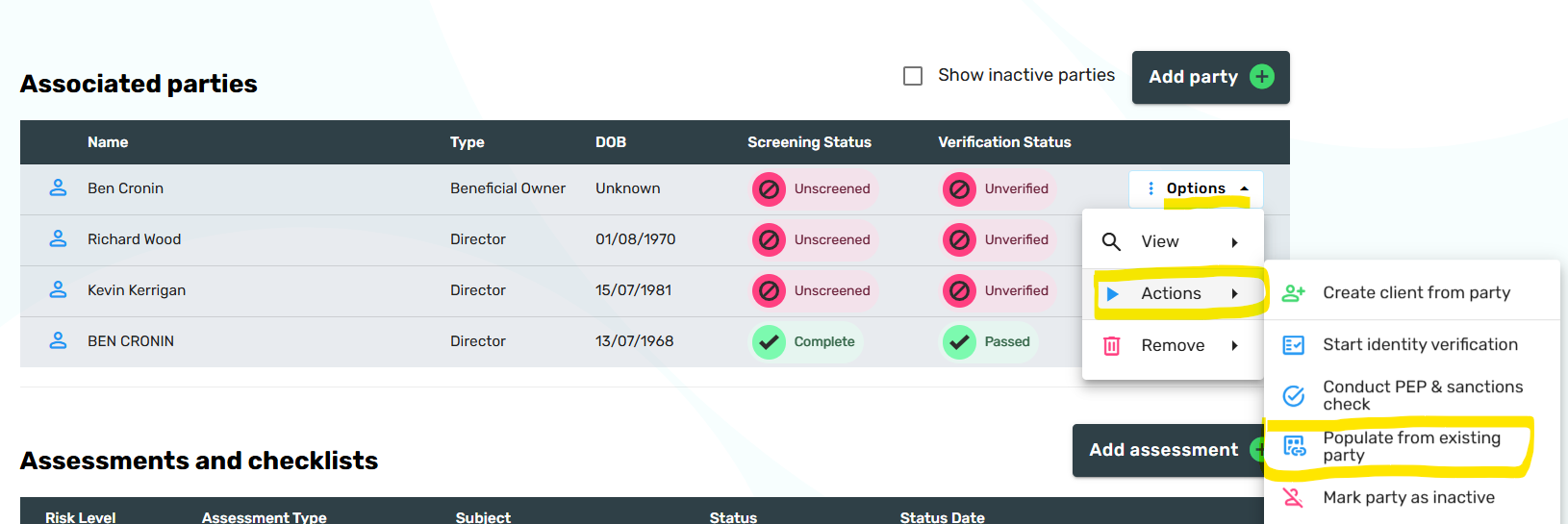
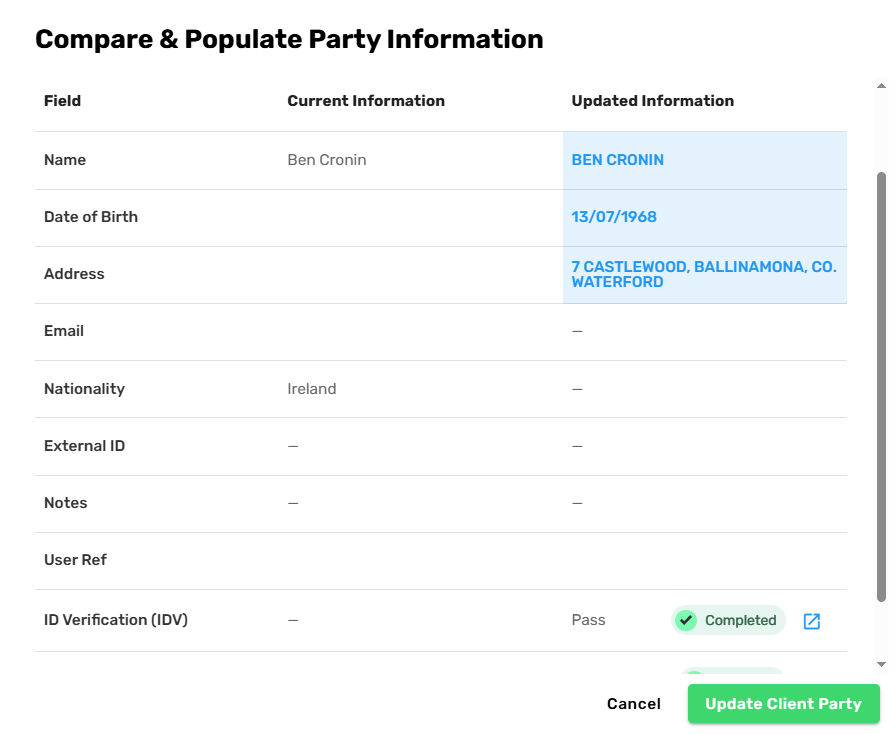
You can then select an existing Client Party from which you want to pull client particulars (name, address, DOB, nationality etc.) and then link any existing ID Verifications, PEP/Sanctions Screening and Person Verifications.



Before proceeding, you can review the information and confirm what ID Verification, PEP/Sanctions Screening sessions will be linked upon completion.
Create a copy of an existing Risk Assessment
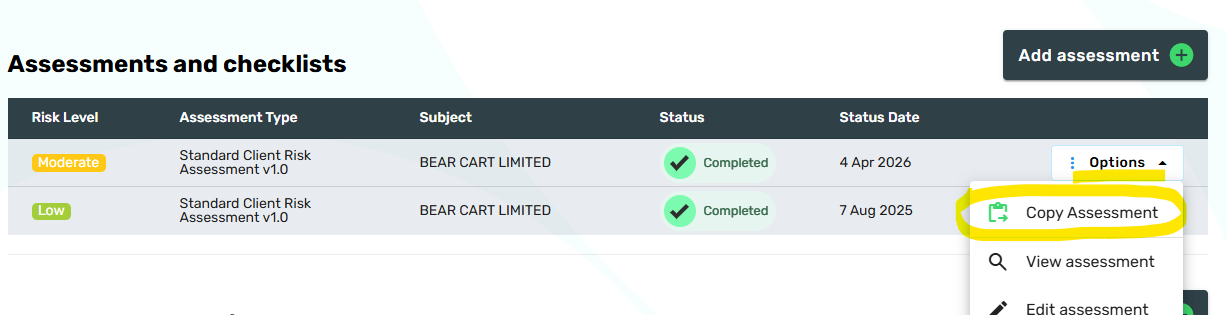
You can now create a copy of an existing Client Risk Assessment within a Client File. This is useful when you want to retain the history when making significant changes to a Client Risk Assessment AND you don't want to start from an empty Risk Assessment.
This functionality is available within the Options Menu, under the Assessments and Checklists table. This feature is also available to use with Firm-Wide Business Risk Assessments within the AML Policies section.
[BETA Release] New Client Risk Assessment Report
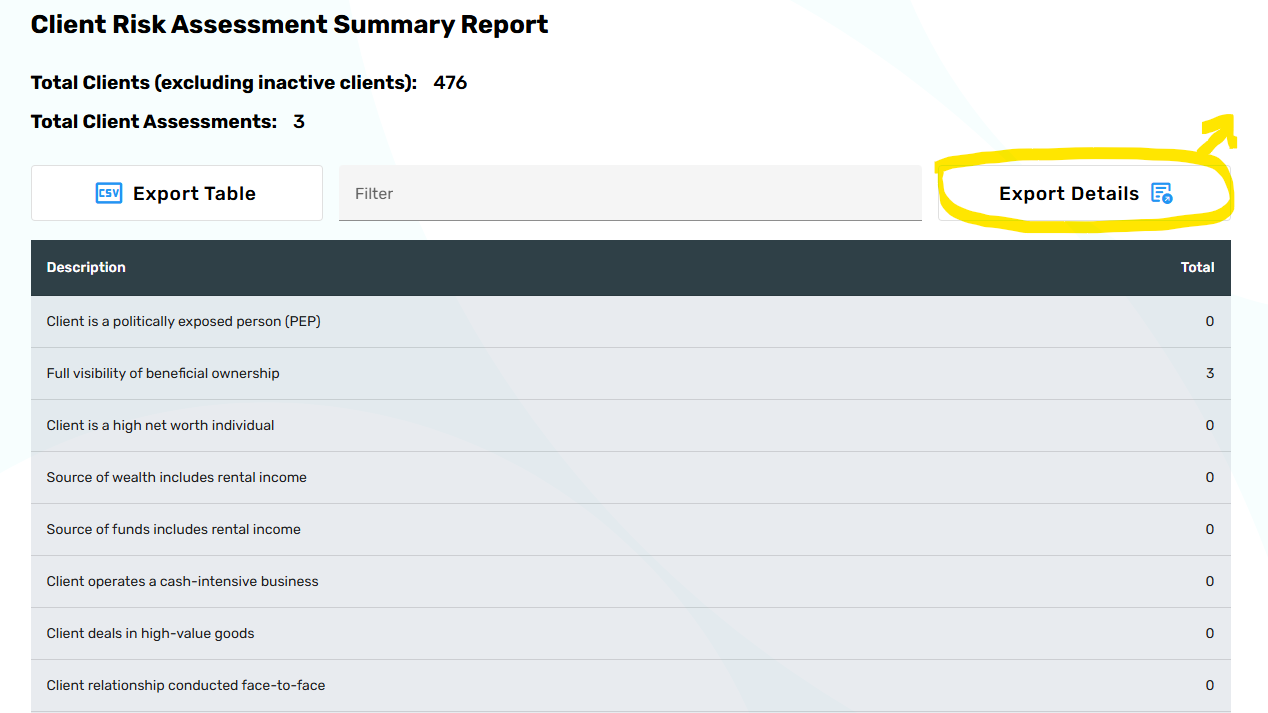
A new Client Risk Assessment report has been provided in BETA Release for your review and feedback. The objective of this report is to provide visibility across the risk data that is contained within your individual Client Risk Assessments.
You can run a report which aggregates all appropriate answers from your COMPLETED Client Risk Assessments for all ACTIVE clients. This should inform your Firm-Wide Client Risk Assessments and the Practicing Certificate Annual Return to your professional bodies along with support during AML thematic and onsite inspections.
Note the highlighted Export Details option below, which will generate a CSV file with a row for each Client Risk Assessment across all client files (Active, in-progress, etc.) and will even include Client Risk Assessments that are in-progress. The Export Details CSV includes all fields in the assessments, including Comment fields and this is very quick and useful way to see the level of detail being added by your team across your client portfolio.
Miscellaneous Updates
The following minor updates have been applied as part of this release:
- Expanded Company Details report search criteria to include:
- Services Provided (text search)
- Completed Risk Assessment flag (Yes / No)
- Client Status Date (from/to range)
- In addition, the report results show when the last client risk assessment was completed.
- Added ability to export the Task table to CSV, enabling easier analysis and reporting.
- We resolved the following minor bugs / issues
- Fixed an issue where Client Risk Review tasks were not being marked as complete when launched from the options menu.
- On approval of an ID Verification session, the ID Document Country (where available) is now copied to the associated party record (one level).Previously, only Date of Birth and Address were transferred. This improvement also applies to linked ID Verification sessions.
- Removed the 2FA code countdown timer, which was causing issues for users with incorrect system clock settings.
- Resolved z-index issues affecting dropdowns and popups within assessment components, preventing them from being cut off at the top of the page.