Software Update - 14th January 2024
On Sunday 14th January we updated AML HQ with a number of new features and enhancments that have been requested by our community of customers. If you have any features that you would like considered for a future release, please contact one of our team directly or send an email to support@amlhq.com.
Please note that following the release, you may need to refresh your browser cache. You can clear your cache via your browser settings or simply hold down the CTRL key while you click the F5 key.
A summary of the key enhancements included in this release are as follows:
- You are now be able to link identity verification sessions across multiple associated parties in different clients. This means you can share one copy of the Identity Verification and proof of address and avoid duplication when:
- You have a Corporate Client and you are also managing the self-assessment tax return for the individuals behind the Corporate Client; or
- If the same individual is associated with multiple companies.
- You can now "create and link" a new private individual client file from the beneficial owner or director (or any other associated party) of an existing Corporate Client.
- It is now possible to set a billing contact email who will receive invoices/receipts from the system as an email attachment.
Other minor enhancements have been included in this release are as follows:
- We have added additional fields to the Associated Parties Report export to help identify which documents have been collected for each individual (e.g. ID , proof of address; selfie; external report).
- The Associated Parties detail screen will now automatically display an external Identity report if uploaded instead of individual ID, proof of address and selfie images.
- Identity document file uploads have been limited to a maximum of 8Mb in size.
- Added the ability to delete PEP/Sanctions checks.
- Removed the purge option from the screens as this was causing confusion for some of our users.
Keep reading for further information on the above enhancements.
Link Identity Verification Sessions across multiple associated parties
This has been a feature that a lot of our users have been asking for and reflects a common scenario where individuals are linked across multiple companies or are a client in both a corporate and individual capacity. This new feature allows you to link an identity verification session (ID documents, proof of address and also a selfie) across multiple associated party records within mulitple AML Client files.
This effectively means that you will have one copy of the identity documents linked to directors or beneficial owners across multiple AML HQ client files. In the future, if you update the identity verification for any of these linked clients, it will be reflected across all of the linked associated parties.
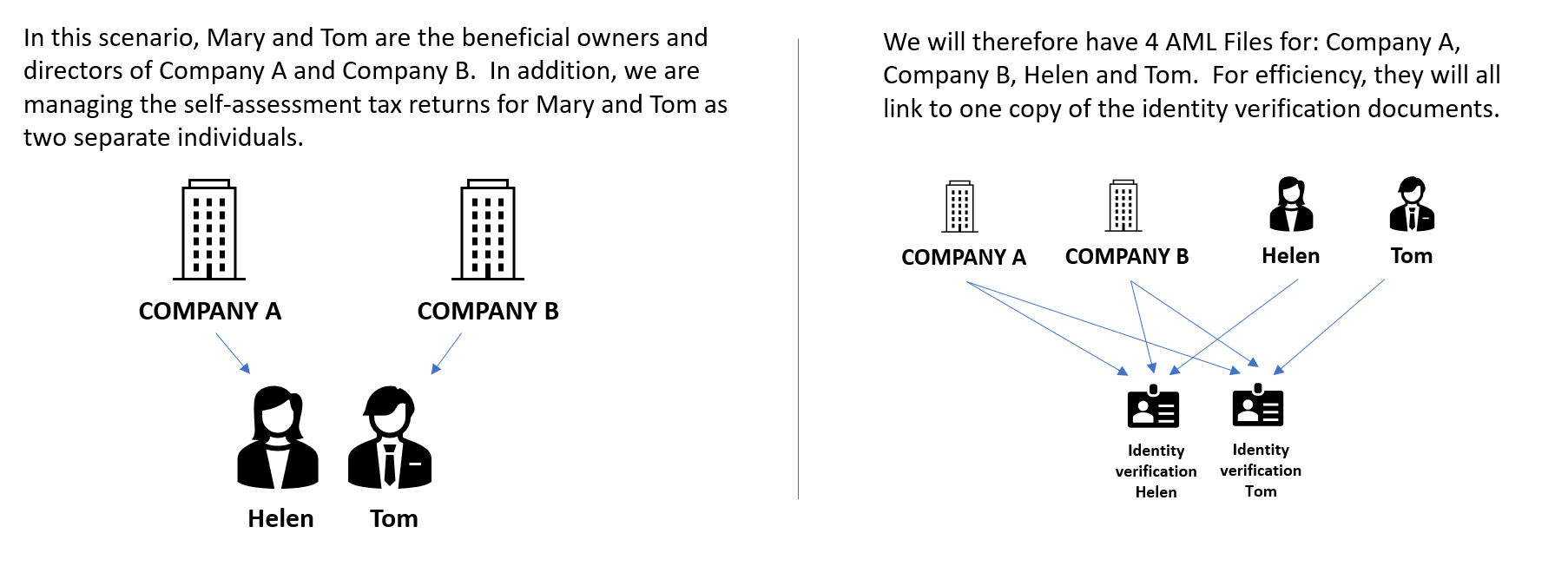
You can link the associated parties of clients in a couple of different ways:
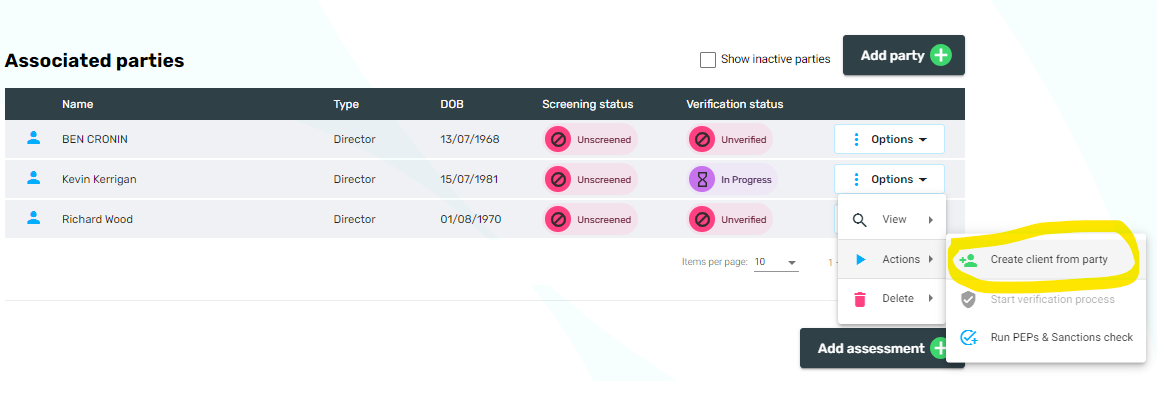
1. If you have a Corporate Client, you can "create and link" a new private individual client from the beneficial owner or director (or any other associated party) with one click in the AML HQ Client file.
Within your AML HQ Client file, navigate to the Associated Parties table and select the Options -> Actions -> "Create client from party" option. This will automatically create a new AML HQ Client file using the details of the associated party.
Note: If there is an identity verification session in progress, awaiting review or completed, it will also be linked to the new private client party. If there is no identity verification session in progress for the individual on the original corporate client, then no link will be in place.
2. Anytime that you initiate an Identity Verification session, you will now have the option of linking the associated party to an existing identity verification session as opposed to creating a new identity verification session.
For example, in the Add New Client wizard, on the Identity Verification Screen, you will see a new link option as per the below graphic:
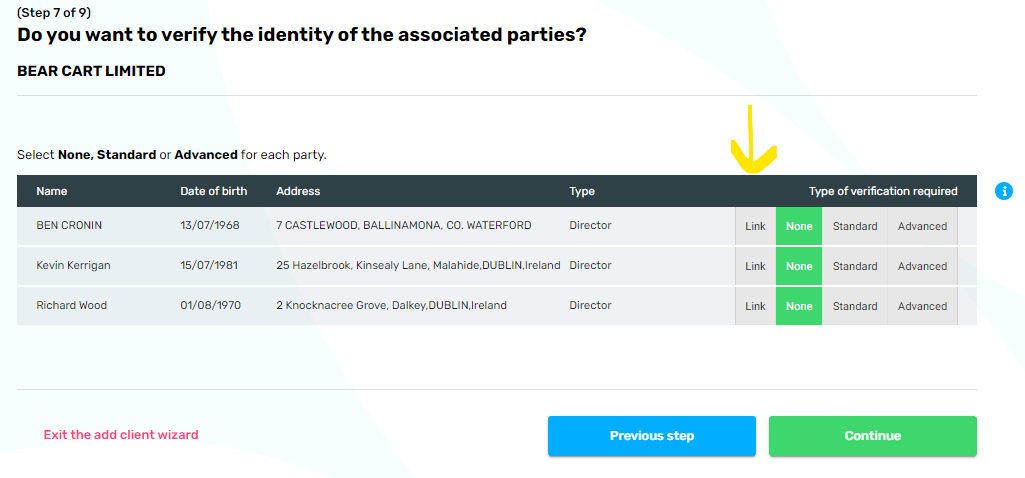
When you select the link option, you are presented with a list of possible identity verification sessions that you have already initiated or completed. You can click the view option for a preview.
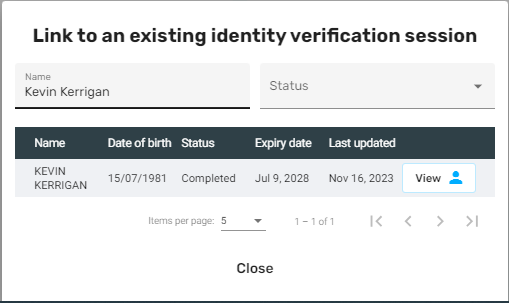
The preview screen provides you with more information and the ability to link the identity verification session or cancel and return to the previous screen.
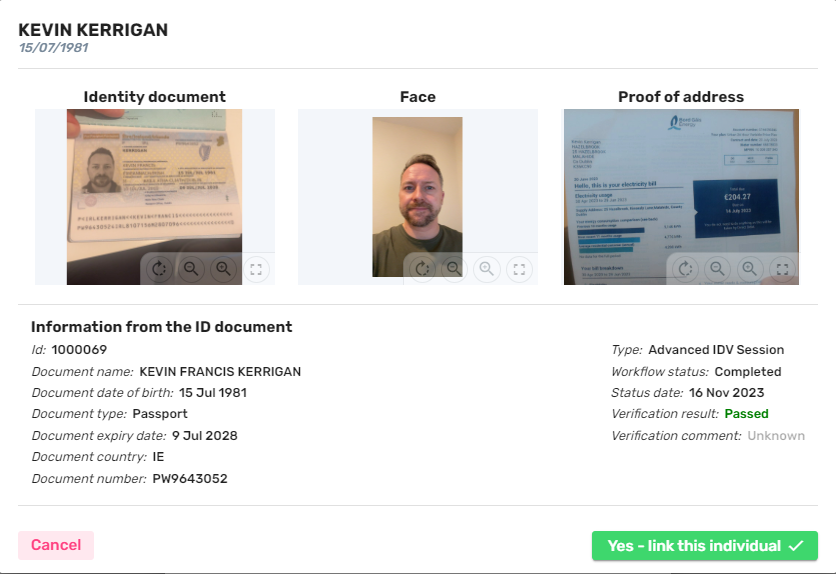
Identity Verification Linking Notes:
- If you link an identity verification session across multiple individuals. Any subsequent identity verification refreshes will be propogated across all linked AML Client files
- PEPs and Sanction screening checks are not linked or propogated across linked individuals.
Set a billing contact email address
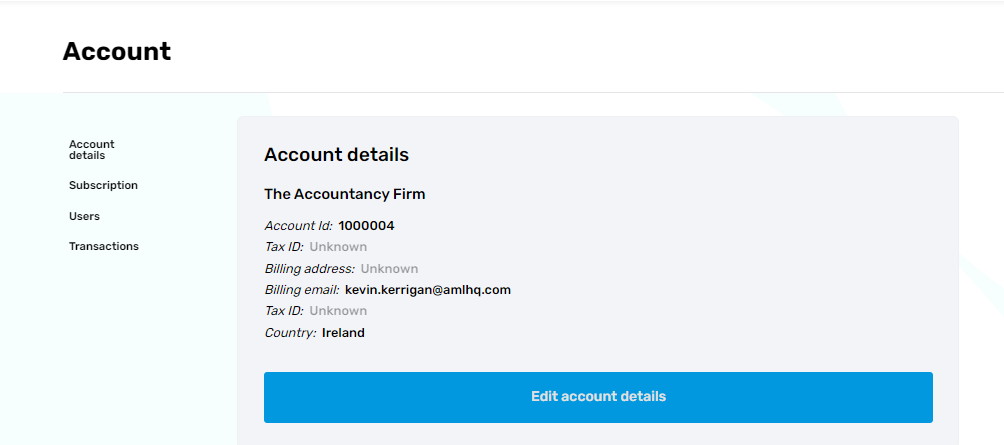
Under your account settings https://web.amlhq.com/account you can now add a billing email address.
For any clients that pay via credit card, the system will now email an attachment to this billing contact. Initially, the billing contact will be set as the account owner.
Please note that for customers that pay via Direct Debit, for the moment, you will need to email support@amlhq.com to change the billing email address.